A simple tool for reading and taking notes
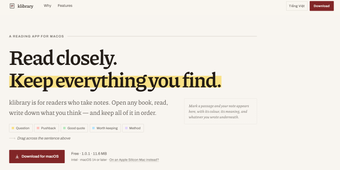
klibrary is a free application for people who don’t just read books but also like to annotate, highlight passages, or take notes along the way. It can be useful for studying, saving memorable parts of a book you love, or simply helping you engage more closely with what you’re reading.
klibrary is very straightforward to use. You don’t need to create an account or subscribe to anything to get started. It works like a library and note-taking tool rolled into one, giving you a place to organize your books while keeping your highlights and notes alongside them.
A more organized personal library
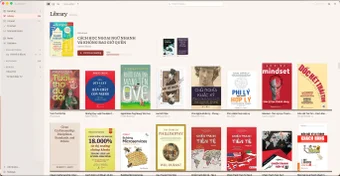
klibrary lets you organize your books however you want, with options to sort them by author, series, or collection so you can easily find what you need. You can also switch between spine and cover views, giving your collection the look of a virtual bookshelf. Separate sections for currently reading, unread, and finished books also make it easier to keep track of your reading progress.
For annotations, this application uses color-coded highlighting, and you can assign a meaning to each color and use the same system across your books. For example, yellow could mark details you need to remember, while blue could be used for quotes you like. Your notes are also searchable, so you can quickly revisit specific information without having to go through every page again.
Furthermore, the application has an integrated AI feature that can analyze your books and provide summaries and overviews. This is optional and turned off by default, so you can enable it when you actually want to use it. It also supports scanned books through OCR, which extracts text from PDFs made up of images. However, DRM-protected Kindle files aren’t supported, so they can’t be imported into the app.
A handy tool for active readers
Overall, klibrary is a useful option if you like to do more than simply read your books. Its organization tools, searchable notes, color-coded highlights, and optional AI features give you different ways to interact with your library and revisit what you’ve read. While it rejects DRM-protected Kindle files, it offers a straightforward setup for readers who like to annotate and keep their books organized.